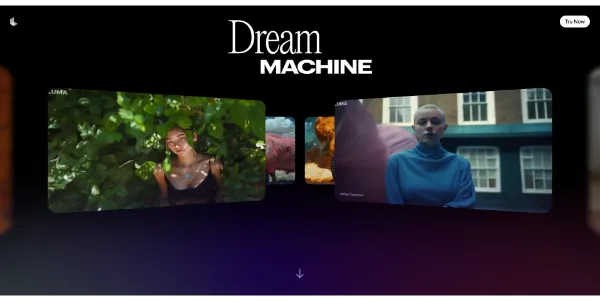
Artificial intelligence is changing the way creators approach video production, making it possible to transform simple ideas into engaging visual experiences with fewer technical barriers. Among the emerging tools in this space, Luma dream machine offers creators an innovative way to experiment with AI-assisted video generation. Whether someone is developing short films, social media content, concept videos, advertisements, educational visuals, or artistic experiments, understanding how to work creatively with AI can make the process more productive and inspiring.
The real value of an AI video platform is not simply its ability to generate moving images. Its greatest potential comes from how creators combine imagination, storytelling, visual direction, experimentation, and refinement. By developing effective creative strategies, users can turn basic concepts into more purposeful and visually compelling videos.
Start With a Strong Creative Concept
Every successful video begins with an idea. Before generating anything, creators should determine what they want the audience to see, feel, or understand. A vague concept can lead to inconsistent results, while a focused idea gives the generation process a clearer direction.
Instead of starting with a complicated scene, begin with a simple creative objective. For example, a filmmaker might want to visualize a mysterious city at night, while an artist could explore an imaginary landscape where nature and architecture blend together. Once the central idea is established, smaller visual decisions become easier.
A useful concept should identify the subject, environment, mood, movement, and overall visual style. These elements provide a foundation for experimentation and can help creators maintain consistency throughout a project.
Use Detailed Prompts for Better Direction
Prompt writing is one of the most important creative skills when working with AI video. A short description may produce an interesting result, but a more carefully structured prompt can provide stronger artistic direction.
Creators can describe the main subject, camera perspective, lighting, atmosphere, motion, setting, and visual characteristics. For example, instead of asking for a person walking through a city, a creator could describe a cinematic nighttime street filled with reflections after rain, a person walking slowly beneath glowing signs, and a moving camera following from behind.
The goal is not necessarily to make every prompt extremely long. Rather, the goal is to communicate the most important visual information clearly. Strategic wording allows creators to focus the generation process around their intended result.
Experiment With Visual Language
Creative work becomes more interesting when creators explore different visual approaches. A single idea can be presented as a cinematic sequence, a dreamlike animation, a documentary-style scene, a futuristic environment, or an abstract artistic composition.
Experimenting with visual language can reveal unexpected possibilities. Instead of repeatedly generating nearly identical scenes, creators can change the atmosphere, camera movement, perspective, lighting, and artistic direction. This approach turns AI generation into an exploratory process rather than a one-time command.
Think Like a Director
Working with AI video becomes more effective when creators approach the process like directors. Directors do not simply describe what happens; they think about framing, movement, pacing, emotion, and visual storytelling.
Consider how the camera should behave. Should it move slowly toward the subject, follow an object, rotate around a character, or remain stationary? Camera movement can dramatically affect how a scene feels.
Lighting also plays an important role. Soft morning light can create a peaceful atmosphere, while dramatic shadows can introduce tension. Bright colors may suggest energy and optimism, whereas muted tones can create a more serious mood.
By considering these elements before generation, users can develop stronger visual narratives.
Build Scenes Instead of One Long Video
One useful strategy is to think in individual shots rather than trying to create an entire story at once. Breaking a project into smaller scenes gives creators more control over the narrative.
For example, a short cinematic project might include an establishing shot of a futuristic city, a close-up of the main character, a journey through a crowded street, and a final wide shot showing the destination. Each scene can have its own prompt while still supporting the larger story.
This method also makes experimentation easier. If one shot does not work, creators can regenerate that specific section without rebuilding the entire concept.
Create Visual Continuity
Consistency is important when multiple AI-generated scenes are combined. Differences in characters, environments, lighting, or visual style can make a sequence feel disconnected.
Creators can improve continuity by repeating important descriptive elements across prompts. Similar clothing descriptions, environmental details, lighting conditions, and camera styles can help establish a recognizable visual identity.
It is also useful to maintain a simple reference document containing the project’s major visual characteristics. This can make prompt development more organized when producing multiple scenes.
Use Iteration as Part of the Creative Process
One of the biggest mistakes creators can make is expecting the first generation to be perfect. AI-assisted creation works best as an iterative process.
A first attempt can reveal what works and what needs adjustment. If the movement feels unnatural, the prompt can be refined. If the composition is too busy, unnecessary details can be removed. If the mood does not match the story, lighting and atmosphere can be changed.
Instead of viewing unsuccessful generations as wasted attempts, creators can treat them as creative feedback. Each result provides information that can guide the next version.
Combine AI With Traditional Editing
AI generation does not have to replace conventional video editing. In many cases, combining generated clips with traditional editing techniques can produce a stronger final project.
Creators can arrange scenes in an editing application, adjust timing, add music, include sound effects, improve transitions, add titles, and refine the overall pacing. Color adjustments and audio design can also help unify different AI-generated clips.
This hybrid workflow gives creators the flexibility of AI generation while preserving the control associated with conventional production.
Explore Storytelling Through Movement
Video differs from still imagery because movement communicates meaning. A character walking slowly can suggest uncertainty, while rapid movement can create urgency. A camera moving toward an object can draw attention to it, while a wide pullback can reveal the larger environment.
When using Luma dream machine, creators should think beyond individual frames and consider what the movement contributes to the story. Every motion should ideally serve a creative purpose.
Even simple movements can become powerful when combined with appropriate composition and timing.
Turn Limitations Into Creative Opportunities
AI video generation may not always produce exactly what a creator imagines. Rather than treating every limitation as a problem, artists can sometimes incorporate unexpected results into their work.
Unusual movements, surreal environments, or surprising visual details can inspire new creative directions. Experimental filmmakers and digital artists may find that imperfections create a distinctive aesthetic that would be difficult to reproduce through conventional methods.
This mindset encourages curiosity. Instead of controlling every detail, creators can leave room for discovery.
Develop a Repeatable Creative Workflow
A structured workflow can make experimentation more efficient. Creators can begin with an idea, develop a short visual description, create an initial generation, evaluate the result, refine the prompt, and produce additional variations.
After selecting promising clips, they can organize them into a sequence and complete the project through editing and sound design. Keeping notes about successful prompts can also save time on future projects.
Over time, creators can develop their own prompting techniques and visual vocabulary. This transforms AI video generation from occasional experimentation into a repeatable creative practice.
Push Creativity Through Collaboration
AI video tools can also become useful collaborative instruments. Writers can use generated visuals to explore story ideas, filmmakers can test concepts before production, designers can develop mood references, and marketers can visualize campaign concepts.
A team can generate several interpretations of the same idea and compare them before deciding on a creative direction. This makes visual brainstorming faster and can help people communicate ideas that might otherwise be difficult to explain with words alone.
The Future of AI-Assisted Video Creation
Creative strategies will continue to evolve as AI video technology becomes more capable. The creators who benefit most will not necessarily be those who generate the most content. Instead, they will be those who understand how to combine technology with storytelling, artistic judgment, experimentation, and thoughtful editing.
Luma dream machine can serve as a creative partner that helps transform concepts into visual experiments. Its value increases when creators approach generation with intention rather than relying entirely on automation.
Ultimately, the strongest results come from treating AI as a tool for expanding imagination. By developing clear concepts, writing purposeful prompts, experimenting with visual language, building scenes carefully, refining generations, and combining AI output with human creativity, creators can discover new ways to tell stories and express ideas through video.